
Article body
Full article
A new generation of Agentic BI from HENGSHI Technology.
Over the past few months, HENGSHI ChatBI has continued to evolve around the real analysis workflows of business users. The upgrades cover natural-language data Q&A, automatic chart and dashboard generation, reusable analysis templates, multiple integration methods such as iframe, JS SDK, and API, and mobile and voice-input scenarios.
These updates mean ChatBI is no longer only a one-question, one-answer entry point. It is becoming an intelligent assistant inside enterprise data-analysis workflows. Business users can reach answers faster, analysts can standardize reusable methods, and system integrators can embed ChatBI capabilities into their own business systems.
1. Smarter Data Q&A Understands Business Questions More Naturally
The core of ChatBI remains natural-language data Q&A. After entering the standalone ChatBI page, users can choose the dataset, metrics, or business scope for a question and ask in everyday business language, such as “show this month’s sales by region,” “compare gross margin changes across product lines,” or “show order completion by region this year.”
In Agent mode, ChatBI’s Q&A capability is strengthened further. The system can infer the analysis intent from user input, break down complex questions, retrieve data assets within the user’s permission scope, query results, and generate answers. For questions with context, the Agent can perform multi-step queries continuously instead of treating every question as isolated.
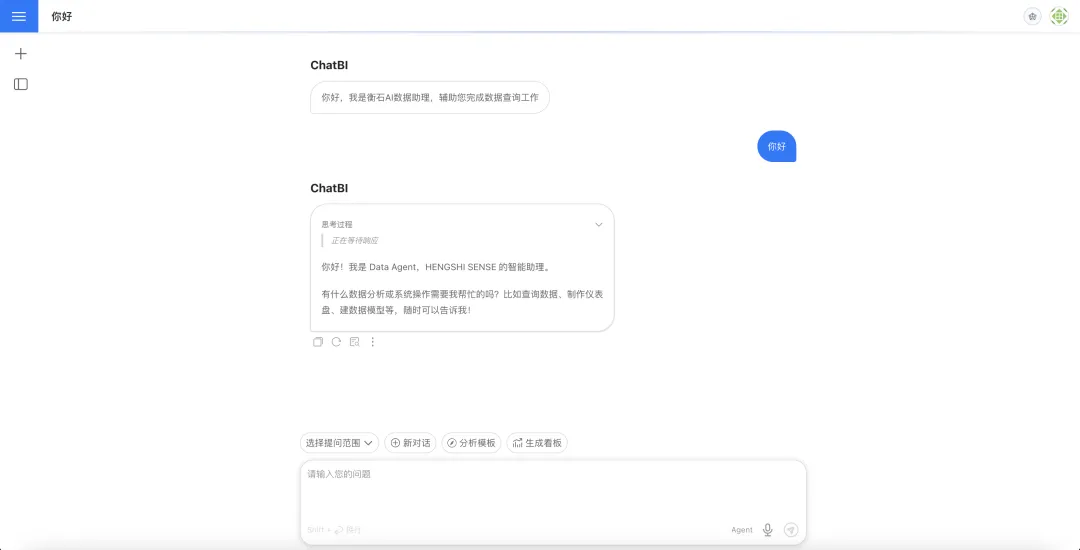
This is valuable for business reviews, operating analysis, and anomaly investigation. Users do not need to understand complex table structures or manually assemble multiple filters. If they can state the business question clearly, ChatBI can turn it into an executable analysis process.
2. Analysis Templates Turn Frequent Questions into Standard Entry Points
Many enterprise analysis tasks follow repeatable patterns: sales trend analysis, regional business comparison, inventory health checks, project progress reviews, and customer conversion analysis. In the past, these workflows often depended on experienced analysts teaching business users how to ask the right questions.
ChatBI now adds analysis templates. Administrators can maintain templates in the Agent tuning page, including template title, template content, and enabled status. End users in ChatBI or Data Agent mode can click a template card, insert the template content into the input box, adjust it for the current business question, and send it.
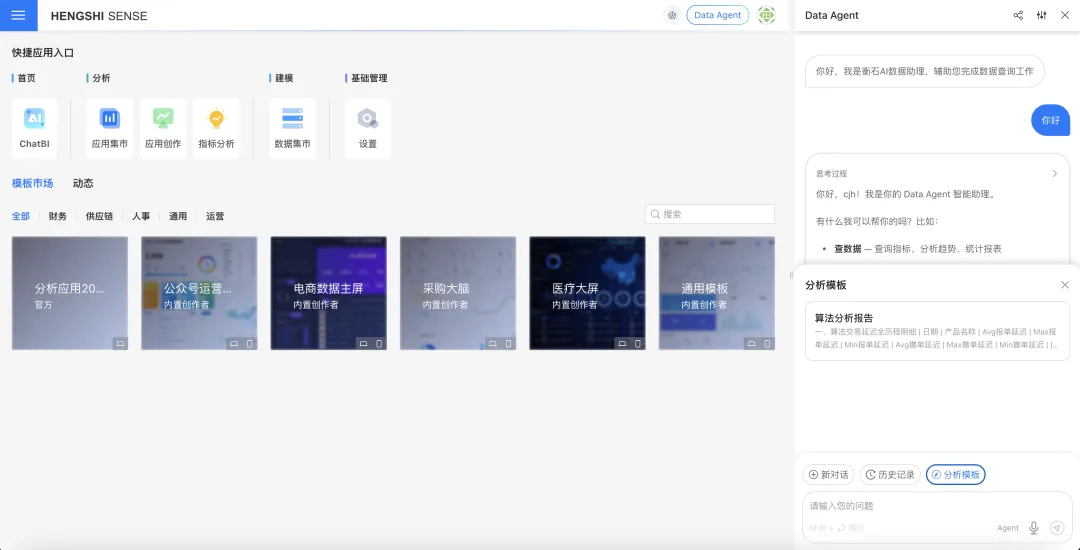
This lowers the adoption threshold for new users and lets organizations solidify proven analysis methods. A sales team can preset a monthly sales review template, an operations team can preset a campaign performance analysis template, and management can preset a key-metric anomaly check. Templates do not decide for users; they help users ask better questions in a more stable way.
3. Data Preparation and Intelligent Learning Help AI Understand Enterprise Semantics
The quality of ChatBI answers depends not only on the large model but also on whether the data is easy to understand. Recent HENGSHI documentation and configuration workflows further emphasize the importance of data preparation.
Administrators can use Data Agent configuration and prompts to add industry background, company terminology, analysis rules, and metric constraints. Data owners can maintain field definitions, metric explanations, synonyms, hiding rules, and business-caliber notes in dataset knowledge management. For example, the definition of a “small order,” the fiscal-year boundary, or the time window for a major promotion can all be recorded in natural language.
Data vectorization can turn field names, metric names, descriptions, and value domains into semantic indexes, helping ChatBI find relevant objects more accurately across large data-asset inventories. Together with intelligent learning and user preference records, the system can continuously absorb useful experience from Q&A interactions, reduce repeated corrections, and improve the stability of later answers.
4. From Answers to Charts and Dashboards, Results Can Be Reused
ChatBI returns more than text. After a user asks a question, the system can present results as charts and support switching chart styles. For analysis results that need reuse, users can add charts from the session into dashboards, adjust layouts, export, save, and continue secondary exploration inside the dashboard.
Desktop ChatBI supports one-click dashboard generation. Multiple charts from one conversation can be collected into one analysis dashboard, turning temporary data Q&A into a reusable data page. This is useful for weekly reports, operating meetings, and project retrospectives: use natural language to explore quickly, then organize valuable results into a dashboard and reduce the cost between discovering a question and preparing materials.
Mobile ChatBI access is already available, with optimizations for chat history, selectors, and voice input. The mobile experience is currently better suited to asking questions and viewing results, not to the full dashboard-generation capability of the desktop experience.
5. Intelligent Interpretation Helps Dashboards Explain Data Changes
The Data Agent sidebar is better suited to continued analysis in the current page context. When users view a dashboard, they can invoke intelligent interpretation directly. The system follows preset interpretation ideas to query data, identify anomalies, decompose metrics, and generate an interpretation report.
In dashboard editing mode, users can configure intelligent interpretation ideas. The system can also generate interpretation templates from dashboard structure and data. Individual charts can have independent interpretation paths, so when users click the interpretation entry on a chart, Data Agent analyzes with the current chart context.
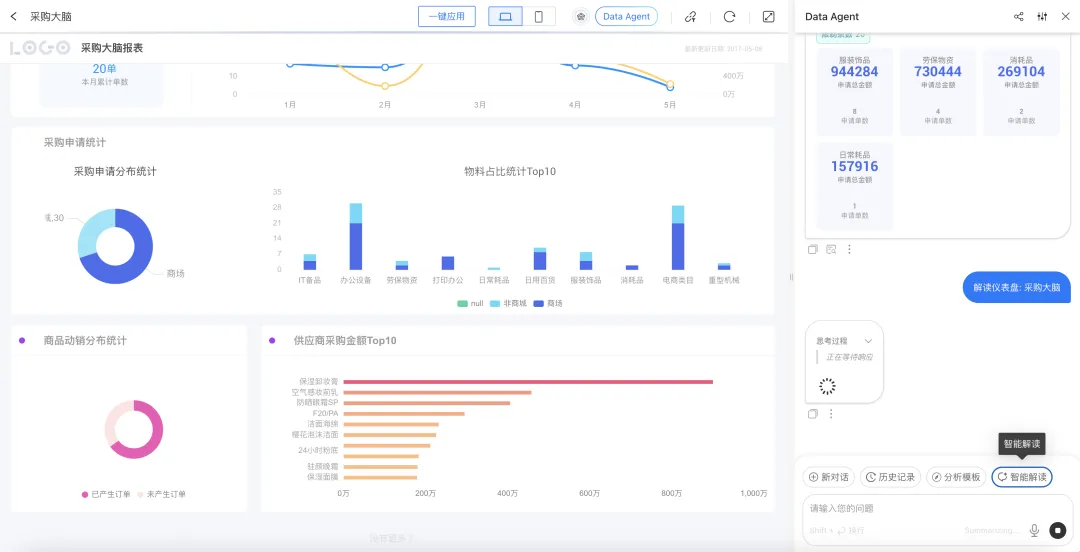
This is suitable for fixed reports and management cockpits. Previously, business users needed analysts to explain what happened after seeing a chart. Now the system can provide structured explanations around existing data, helping users understand fluctuations, rankings, composition, and drill-down results faster. Intelligent interpretation is descriptive analysis based on existing data; it is not intended to predict future trends.
6. Voice Input and Mobile Access Make Frontline Questions Easier
ChatBI supports in-page voice input and dynamically shows the entry based on the runtime environment. Current coverage includes Chrome and Chromium browsers, WeCom containers, and Feishu containers.
This is valuable for mobile office and frontline business scenarios. Sales, store, factory, and project-site users may not be able to type long questions conveniently, and voice lowers the cost of asking. The system hides the voice entry when the current environment does not support speech recognition, authentication is incomplete, or recording permission is insufficient, so users do not see an unavailable button.
7. Answer Export Turns Analysis Results into Reporting Materials
Individual ChatBI answers can now be exported as PDF and Word. PDF export handles collapsed content and chart pagination to reduce chart truncation. Word export preserves answer structure, tables, code blocks, references, and chart screenshots for later editing.
This turns ChatBI answers from temporary conversations into deliverable materials. Business users can export one analysis result as a report attachment, managers can save key answers into review materials, and presales and delivery teams can preserve the analysis process as customer communication documents.
8. Open Integration Puts ChatBI into Customer Systems
The integration boundary of ChatBI and Data Agent is also clearer. The system now provides iframe, JS SDK, and API options, covering needs from quickly embedding a full ChatBI page to calling backend data Q&A capabilities.
Iframe is suitable for quickly reusing the complete ChatBI page. JS SDK is suitable for embedding chat windows, result cards, and chart capabilities in a customer’s own page. API is suitable for backend systems, multi-Agent platforms, AI gateways, and workflow systems that call HENGSHI data Q&A capabilities. Interfaces support synchronous and SSE streaming returns, and responses can include execution status, answer text, chart descriptions, chart data, and error information.
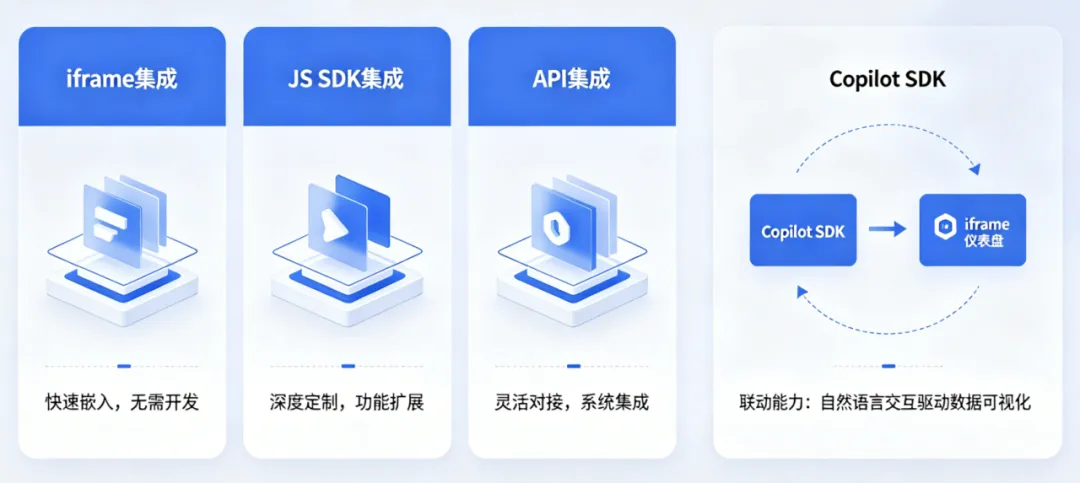
For customers that already have an intelligent-assistant entry point, Data Agent also enhances iframe dashboard linkage. A Copilot SDK in the parent page can take over the smart-assistant entry inside the iframe dashboard, allowing users to continue using HENGSHI dashboard interpretation, chart creation, and add-to-dashboard capabilities inside the customer’s unified assistant. This makes ChatBI more suitable for enterprise portals, industry applications, and customer-built AI assistants.
9. Custom Tools Let Agents Call Internal Enterprise Capabilities
Data Agent also supports registering custom tools through global JS. As long as a target system provides HTTP or HTTPS interfaces, administrators can wrap enterprise knowledge bases, internal FAQ, ticketing systems, order systems, inventory systems, search services, approval flows, and other capabilities as tools for the Agent to call during reasoning.
This expands ChatBI from analyzing data inside the HENGSHI platform to connecting with existing enterprise systems. For example, an Agent can query business data and then call an internal knowledge base to explain metric definitions. It can also query inventory, ticket, or approval status and include real-time business information in the answer.
Conclusion: ChatBI Is Mature Enough to Enter Enterprise Decision-Analysis Workflows
Helping business users ask faster, helping the system understand enterprise semantics, helping analysis results become reusable, and helping customer systems integrate more easily are the clear upgrade direction of HENGSHI ChatBI.
For business users, ChatBI is a natural-language analytics entry point. For analysts, Data Agent is a workbench for standardizing experience, configuring business definitions, and reusing templates. For system integrators, iframe, JS SDK, API, and custom tools allow ChatBI to enter their own product interfaces and business processes.
From data Q&A to interpretation, from charts to dashboards, and from standalone pages to open integration, ChatBI is bringing AI data analysis into more real business scenarios.