
Article body
Full article
After a multi-turn analysis, a team may have conversational answers, query results, charts, dashboards, and execution records used for troubleshooting. Analysts need to explain which results have been saved, which still require verification, and who will maintain them, so experimental objects are not mistaken for formal deliverables.
HENGSHI connects natural-language analysis, visual creation, and application delivery within one analytics platform. Teams can explore a question, save confirmed results as manageable assets, and deliver them to business users through permissions and publication. Managing these outputs requires a clear distinction between conversations, BI assets, and external data processing tasks.
At a glance: from exploration and saving to delivery and maintenance
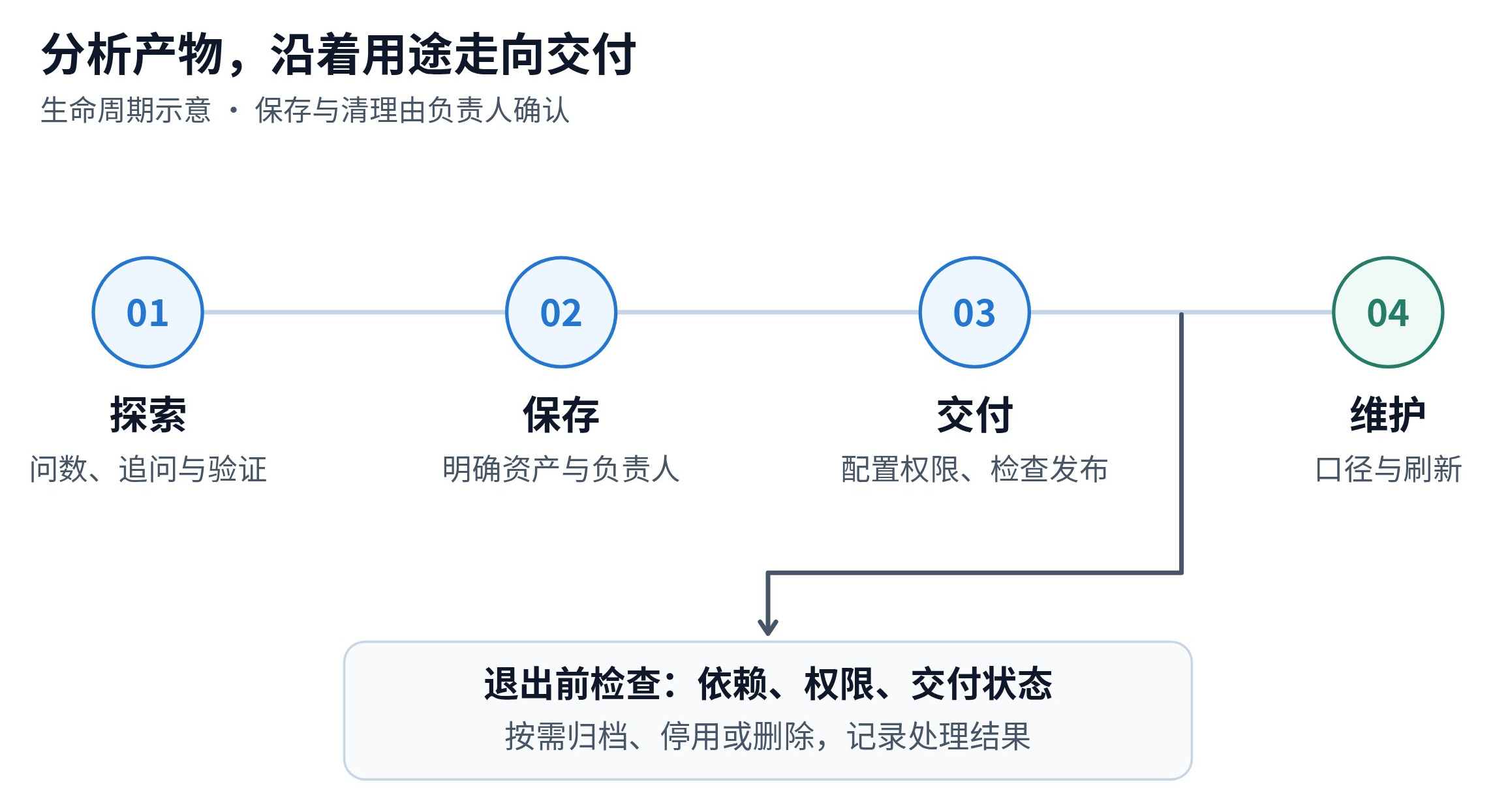
This diagram describes a management process a team can adopt. “Saving,” “maintenance,” and “retirement” are management stages. Actual object states, publication methods, and deletion behavior depend on the relevant HENGSHI features and connected data systems.
Distinguish three types of output before applying cleanup rules
| Output | Typical content | Management focus |
|---|---|---|
| Conversations and analysis records | Questions, follow-ups, filters, answers, and troubleshooting clues | Retain necessary context, review metric definitions, and control retention and access as needed |
| Saved BI assets | Datasets, metrics, charts, applications, or dashboards | Confirm purpose, owner, dependencies, permissions, and delivery status |
| Execution attachments and external computation results | Exported files, debug logs, and aggregate results generated by ETL or data engines | Identify storage locations, sensitive content, refresh methods, and retention periods |
Multi-turn queries generate intermediate results, but this does not mean every step creates a temporary database table. Teams should evaluate aggregate tables, imported data, or ETL outputs only when a reuse, performance, or data processing need is clear, and define refresh and maintenance arrangements for those results.
How HENGSHI supports the path from analysis to delivery
Analysis: continue verifying the same question. Data Agent supports natural-language questions and further analysis. Analysts can confirm results against metrics, datasets, and filters, and investigate anomalies using conversation records, queries, or debug information. Logs should retain only what troubleshooting needs, with access restricted for files containing sensitive data.
Saving: organize reusable results as assets. Through supported creation entry points, teams can save charts or dashboards and check their data dependencies, metric definitions, and refresh conditions. Results that others will take over should have recognizable names, a documented purpose, and an owner. The team can then choose collaboration, sharing, or template-based reuse.
Delivery: check authorization and the published snapshot. Publishing a HENGSHI application creates the content delivered to its users. After creators modify an application, they need to publish it again through the publication process for business users to see the changes. Teams should check the work in progress and the published content separately, confirming that recipients can access the required data and charts.
Saving, publishing, and deleting are different operations. Closing a conversation does not delete saved assets. Deleting a creation object does not automatically roll back published content or remove external database tables. Identify the object type and impact before acting.
Example: keeping useful monthly review analysis for next month
Hypothetical solution example: Before a monthly review, a chain business uses Data Agent to analyze changes in sales and refunds by region. After several follow-up questions, it produces candidate charts and chooses a group for the business meeting.
| Stage | Team action | What is retained |
|---|---|---|
| Exploration | Check sales and refund definitions and compare regional changes | Confirmed filters and necessary analysis records |
| Finalization | Save the charts needed for the meeting and check layout and data refresh | Analysis assets with a clear purpose and owner |
| Delivery | Check business-role permissions and the content visible after publication | A formal dashboard accessible to the intended users |
| Review | Inspect unused objects and exported files individually; handle them after checking dependencies | Necessary evidence, handling records, and reusable templates |
Before reusing the dashboard next month, the maintainer checks that the data is current and that metric definitions have not changed. An aggregate result worth keeping should become part of data processing and refresh management. Temporarily exported detail files should follow agreed retention periods and access requirements.
Create an asset disposition checklist before cleanup
| Check | Questions to answer |
|---|---|
| Ownership | Are the object ID, space, creator, and current owner clear? |
| Dependencies | Which charts, applications, or data processing tasks still depend on it? |
| Delivery | Has it been published, shared, or used in an external delivery? |
| Evidence and recovery | What analysis evidence must be retained, and is recovery feasible? |
| Execution confirmation | Who approves archiving, disabling, or deletion, and how will the outcome be verified? |
A “temporary” name, an old creation date, or a short period without access is not sufficient on its own to justify deletion. For automated inspections, build a process around actual object information and confirmed rules. List disposition candidates for their owners to review first. A team’s expiry-based cleanup policy should not be treated as default product behavior for every BI object.
- Long-term use: Assign a maintainer and define refresh methods and access scope.
- Troubleshooting: Retain enough steps and logs to reproduce the issue, reducing unrelated detail.
- Retirement: Check references and delivery status, and record the outcome.
HENGSHI Data Agent can advance analysis into chart and dashboard creation. Application publication, permission management, and template reuse help teams complete delivery. Clear maintenance responsibilities and retirement processes allow business users to continue using verified analytical results.