
Article body
Full article
Abstract
Your Agent demo impressed everyone, but after a few weeks in production, business users complain it “makes things up” or “gives answers nobody understands.” This gap from “wow” to “whatever” is the most common challenge in AI Agent deployments. This article doesn’t talk about how advanced the Agent architecture is—it focuses on one core question: when an Agent underperforms, where’s the problem, how do you diagnose it, and how do you fix it?
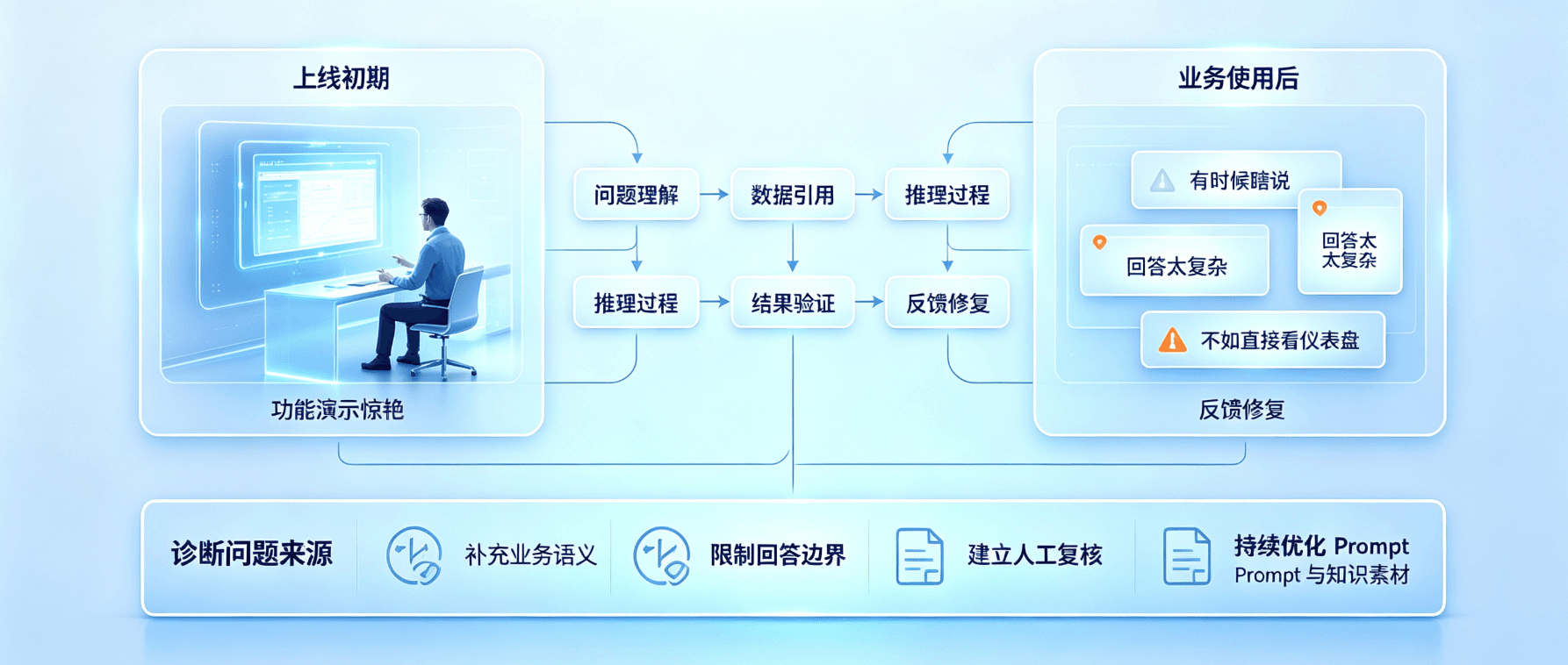
1. First, Define What “Wrong Answer” Means
Before diving into diagnosis, you need to break down “Agent gives wrong answers” into several fundamentally different types—because each type has a different root cause and a different fix.
Semantic Mismatch is when the Agent maps a user’s natural language question to the wrong metric or dimension. For example, a user asks “which store has the best sales” and the Agent returns “store with the highest revenue”—sales refers to unit volume, not dollar amount, so the Agent matched the wrong metric.
Metric Definition Bias is when the Agent picked the right metric but calculated the wrong dimension. For example, when a user asks “average order value for new customers in Q2,” the Agent needs to understand Q2’s time range and the business definition of “new customer” (customers who placed their first order during Q2, or customers who placed any order during Q2?).
Tool Invocation Failure is when the Agent understood the question correctly and matched the right metric, but an error occurred when calling the HENGSHI BI engine to execute the query—maybe wrong filter parameters were passed, a required condition was missed, or the query timed out.
Excessive “Mind-Reading” is when the Agent fabricates additional analysis conclusions when it should simply report data. For example, a user asks “what was yesterday’s sales,” and the Agent not only reports the number but adds “this performance is in line with expectations”—this statement has no data basis and is a hallucination.
“I Don’t Know” But Didn’t is when a user asks a question that genuinely has no corresponding metric or data, and the Agent should clearly say “we don’t have this data” but instead强行 assembles an answer from related metrics. This is the most dangerous type of wrong answer—it looks like an answer, but it’s not answering what the user actually cares about.
2. Diagnostic Framework: Five Steps to Locate the Problem
When business users report “Agent gives wrong answers,” follow these five steps:
Step 1: Trace the Original Conversation. Don’t rely on secondhand accounts—look at the session logs directly. The same case retold loses critical details: what wording did the user use, how did the Agent respond at each step, what was the context. HENGSHI JARVIS automatically records all Agent conversation logs—filter by user and time to find them.
Step 2: Check the Metric Matching Chain. See which metric the Agent matched when answering this question, then review the complete metric definition—logic, data source, dimensions, and update time. Confirm the matched metric is actually what the user wanted, and that the metric’s current definition aligns with the user’s understanding.
Step 3: Reproduce the Problem. Re-ask the exact same question on the HENGSHI platform. If the Agent’s behavior during reproduction differs from the original case, the issue may be related to context state. If the reproduced behavior is consistent, diagnosis is more straightforward.
Step 4: Classify the Error Type. Categorize the problem using the five-type framework above. Knowing the error type tells you the direction for the fix.
Step 5: Fix and Verify. The fix depends on the diagnosis: semantic mismatch requires adding semantic mappings; metric definition bias requires refining the metric’s metadata or adding explanatory notes; tool invocation failure requires analyzing error logs to fix the Agent’s tool call instructions; excessive mind-reading requires adjusting the Agent’s system Prompt to strengthen information boundary constraints.
After fixing, run regression tests on HENGSHI’s evaluation dataset to ensure the fix didn’t introduce new regressions.
3. Common Problem Patterns and Solutions
3.1 Synonym Traps
“Sales” and “Revenue” may not be the same thing in your business—sales is order amount, revenue is actual cash received minus refunds and discounts. If the Agent mixes these up, results will differ significantly.
The solution is to explicitly define “aliases” and “exclusion expressions” for each metric in the metric platform’s semantic mapping. The sales metric can have aliases like “sales revenue, transaction amount,” and the notes should state “not equal to revenue—see metric definition for logic differences.”
3.2 Time Semantic Ambiguity
When it’s early July, what does “this month” mean—past June or just-started July? And does “recent week” mean the past 7 calendar days or the most recent completed week?
The solution is to maintain contextual continuity in conversations. When a user first says “recent week,” the Agent can ask a clarifying question—“do you mean the last 7 days or Monday through Sunday of last week?”—an extra round of dialogue but with clarified logic, errors are avoided.
3.3 Empty Data Scenarios
A user asks a question, the corresponding metric exists but the filtered data is empty—for example, “new customer sales last month” but there genuinely were no new customers last month. The Agent should report “new customer sales last month were 0,” not return “no relevant data found” without explanation.
You need to define a unified response template for empty results from data query tool calls, and adjust the Agent’s Prompt so it provides reasonable explanations and alternative suggestions when encountering empty results, preventing business users from thinking it’s a system failure.
3.4 Missing Implicit Conditions
When a user says “show me East China sales,” there’s an implicit “most recent complete period” time condition. If the Agent doesn’t add this time condition and pulls all-time data instead, results will be wildly off.
The solution is to set a “default time window” for each query-type intent in the Agent’s Prompt—if the user doesn’t explicitly specify a time range, default to the last month as the filter condition, and explicitly tell the user in the response “data below covers the last 30 days.”
4. Building a Sustainable Agent Quality Improvement Loop
4.1 Error Case Library
Document every diagnosed “wrong answer” case in an error case library. Each entry should include: the user’s original question, the Agent’s answer, what the correct answer should have been, error type, root cause analysis, fix measures, and post-fix verification results.
This case library has two values: new data analyst hires can quickly learn common issues, and during Agent upgrades or model switches, you can batch-regress-test these historical cases to avoid old problems resurfacing.
4.2 Weekly Agent Quality Review Rhythm
Automatically extract abnormal cases from all Agent conversations in the past week (user thumbs-down or repeatedly asking similar questions), have analysts use the five-step diagnostic method to identify 3-5 high-frequency failure cases for targeted fixes. After fixing, sync the fix progress to the business department—this communicates “we’re continuously optimizing” and also provides concrete satisfaction feedback from the fixes.
4.3 Culture of Continuous Small-Step Iteration
Agent quality isn’t the result of a one-time launch—it’s a continuous iteration process. As long as the five-step diagnostic method becomes muscle memory, most problems can be closed from diagnosis to fix within a single day. The key is not letting user feedback accumulate into “we’ll fix it in the next big release”—the more timely the fix, the better the recovery of user confidence.
5. FAQ
Q1: Sometimes the Agent’s answer includes irrelevant context. What’s going on?
This is likely because the “suggestions” or “extended analysis” instructions in the Agent’s Prompt are too aggressive. You can explicitly limit the analysis boundary in the Prompt, instructing the Agent not to extend the analysis scope on its own when the user hasn’t actively requested it.
Q2: Why do different users get different answers to the same question?
HENGSHI Data Agent answers are influenced by user permissions—different users see different data scopes, so the same metric question may return different values for different users. This isn’t an error; it’s the permission control mechanism at work.
Q3: How quickly does the Agent感知 metric definition changes?
Metric definition changes take effect immediately. However, different Agent instances may need to refresh the conversation once to load the latest semantic layer information.
Conclusion
Agent giving wrong answers isn’t scary—what’s scary is not knowing why it’s wrong or how to fix it. The five-step diagnostic method (trace original conversation → check metric matching → reproduce → classify → fix and verify) provides a structured troubleshooting framework. As long as the team develops the habit of “following the framework for every case,” Agent quality will continuously improve as error cases are fixed one by one.